Best overall shortlist pick: Proloquo2Go. Best for motor-planning consistency: LAMP Words for Life. Best for team collaboration: CoughDrop. This 2026 guide compares communication apps for nonverbal autism by how children express themselves, access vocabulary, and participate at home, school, and community outings—not by which app has the longest feature list.
- Proloquo2Go leads this communication apps for nonverbal autism shortlist for customizable, symbol-based AAC.
- LAMP Words for Life suits families prioritizing consistent movement patterns when finding words.
- CoughDrop suits communication teams that need shared, cloud-based communication boards.
- Choose AAC with your child and a speech-language professional; support requests, refusals, comments, and friendship.
For Brooklyn families exploring communication support, Autism Learn & Play provides therapy services, community programs, and online classes for autistic children ages 2–18. Autism Learn & Play is a resource for Brooklyn families seeking children's therapy and community programs. The apps below are separate products, not services attributed to the nonprofit.
Why this matters
A communication app should give your child more to say than what they want to eat. Look for ways to express discomfort, ask questions, tell jokes, refuse an activity, and join a conversation. Those messages matter during a playground visit just as much as during a therapy session.
Augmentative and alternative communication, or AAC, includes tools that supplement or replace speech. A speech-generating app is one kind of AAC; gestures, signs, and paper communication boards are others. Nonspeaking does not mean having nothing to say.
Your 2026 decision should start with access, not a ranking. A child who understands a board but cannot reliably select its buttons needs a different setup—not less opportunity to communicate.
What makes the best communication app?
Use these criteria before choosing a download or device:
- Physical access: Your child needs a reliable way to select messages. Consider touch accuracy, positioning, vision, and alternative access needs.
- Useful vocabulary: Include requests, refusals, feelings, questions, and comments—not only favorite objects.
- Predictable layout: Stable word locations help children learn where messages live. Avoid rearranging a board simply to make it look tidier.
- Personal expression: Names, interests, family routines, and relevant languages should fit alongside broader vocabulary.
- Partner support: Adults need to demonstrate messages and respond to communication without turning every interaction into a test.
- Everyday portability: Consider the device, charging, sound, transport, and a backup communication method for outings.
The best app is the one your child can access and use to say something meaningful. A polished interface cannot compensate for an inaccessible layout or adults who overlook the child's messages.
Communication apps at a glance
These are distinct starting points for an AAC assessment, not proof that one system works best for every autistic child. Feature descriptions reflect established product designs; check each developer's current documentation before making a 2026 device or access decision.
| App | Best for | Standout feature | Key limitation |
|---|---|---|---|
| Proloquo2Go | Customizable symbol-based communication | Crescendo vocabulary with customization options | Apple-device focus limits device choice |
| LAMP Words for Life | Consistent motor patterns | Vocabulary organized around learned movement sequences | Changing word locations conflicts with its design approach |
| TD Snap | Comparing different communication layouts | Multiple page-set approaches | Teams must choose and maintain an appropriate page set |
| TouchChat HD – AAC | Vocabulary-layout choice | Multiple vocabulary options, including WordPower | Selecting and configuring vocabulary takes planning |
| Avaz AAC | Combining pictures and typing | Picture-based communication and keyboard modes | A keyboard option does not remove literacy or access demands |
| CoughDrop | Shared communication-team support | Cloud-based boards and sharing | Account and synchronization management add setup tasks |
1. Proloquo2Go: best for customizable symbol-based AAC
Proloquo2Go is a symbol-based speech-generating app from AssistiveWare. Its Crescendo vocabulary provides a structured starting point, while customization lets families add personally meaningful words and messages. It belongs first on this shortlist when you want an established symbol-based system with room for individual expression.
Think beyond adding a favorite snack. A useful setup also lets your child say that a game is boring, ask for a different activity, or talk about someone they want to see.
Proloquo2Go pros:
- Structured vocabulary supports more than object requests.
- Customization makes room for names, interests, and routines.
- Symbol-based communication provides an alternative to typing.
Proloquo2Go cons:
- Its Apple-device focus narrows hardware choices.
- Extensive customization requires adults to protect consistency rather than repeatedly move words.
Best for: Families seeking customizable symbol-based communication on a suitable Apple device.
Verdict: Hold until your child has tried the layout and access method.
2. LAMP Words for Life: best for motor-planning consistency
LAMP Words for Life uses a vocabulary approach centered on consistent motor patterns. The goal is to learn movement sequences for finding words, rather than repeatedly searching a changing collection of pictures. Its design makes word-location consistency especially important.
This is not a reason to demand fast tapping or perfect performance. Give your child time, demonstrate messages yourself, and ask an AAC professional how to introduce vocabulary without undermining the system's organization.
LAMP Words for Life pros:
- Consistent word locations support learning movement patterns.
- Vocabulary extends beyond basic requesting.
- A clear organizational approach gives communication partners a shared framework.
LAMP Words for Life cons:
- Learning word pathways takes partner practice.
- Freely rearranging words works against the motor-planning approach.
Best for: Children whose assessment supports a consistent motor-pattern vocabulary system.
Verdict: Hold until your child and communication partners try the word pathways.
3. TD Snap: best for comparing communication layouts
TD Snap, from Tobii Dynavox, offers different page-set approaches rather than a single vocabulary layout for everyone. That makes it a useful assessment candidate when your team needs to compare how vocabulary is organized. The app's name alone does not tell you which configuration your child needs.
Ask the professional supporting your family to explain the proposed page set and access setup. The answer should connect to your child's communication—not simply to what a school already uses.
TD Snap pros:
- Different page sets support comparison of vocabulary approaches.
- Personalization supports messages relevant to everyday life.
- Its layout choices give teams alternatives within one product family.
TD Snap cons:
- Page-set selection adds an important configuration decision.
- Access compatibility needs checking for the exact device and setup.
Best for: Families comparing vocabulary layouts with an AAC professional.
Verdict: Hold until a specific page set and access setup are identified.
4. TouchChat HD – AAC: best for vocabulary-layout choice
TouchChat HD – AAC is a speech-generating app with multiple vocabulary options, including WordPower. Those options let a team consider different organizations of words and messages. Choosing the app is only part of the decision; selecting the vocabulary is equally important.
For a child moving between home and school, agree on the communication setup before adults start making separate changes. Familiar words should not become harder to find because each setting prefers a different arrangement.
TouchChat HD – AAC pros:
- Multiple vocabulary options support individualized selection.
- WordPower offers an established vocabulary organization.
- Customization supports personally relevant messages.
TouchChat HD – AAC cons:
- Vocabulary options require careful comparison.
- Uncoordinated edits across settings can disrupt consistency.
Best for: Families whose assessment points toward a particular TouchChat vocabulary layout.
Verdict: Hold until the vocabulary choice—not just the app—is agreed upon.
5. Avaz AAC: best for combining pictures and typing
Avaz AAC includes picture-based communication and a keyboard mode. It belongs on the shortlist when your child uses symbols and you also want to explore text-based expression. Typing is an option, not a requirement for being a successful communicator.
A child can use different communication methods in different situations. Do not remove useful pictures just because your child begins spelling some words.
Avaz AAC pros:
- Picture-based communication supports messages without typing.
- Keyboard mode offers another route to expression.
- Personalized vocabulary can reflect family life and interests.
Avaz AAC cons:
- Typing still requires suitable literacy and physical access.
- Moving between modes introduces another navigation task.
Best for: Children exploring both symbol-based and text-based communication.
Verdict: Hold until both modes have been assessed for practical usefulness.
6. CoughDrop: best for shared communication-team support
CoughDrop is a cloud-based AAC system with communication-board sharing. Its collaboration approach makes it relevant when several adults support a child's communication. Shared boards still need an agreed plan for who changes vocabulary and how those changes reach the child's device.
Account features should serve your child, not create extra administration without a purpose. Keep a usable backup available and confirm how the intended setup behaves without an internet connection.
CoughDrop pros:
- Board sharing supports communication-team coordination.
- Custom boards can include personally meaningful vocabulary.
- Cloud-based management supports collaboration across settings.
CoughDrop cons:
- Accounts and synchronization need management.
- Shared editing requires clear responsibility and communication.
Best for: Families coordinating AAC support among home, school, and other communication partners.
Verdict: Hold until sharing, permissions, and offline use are checked.
How this shortlist is ranked
The ranking follows the criteria above: access, useful vocabulary, predictable organization, personalization, partner support, and everyday use. Proloquo2Go leads as a customizable symbol-based starting point; the other apps occupy distinct decision slots. This is a feature-based shortlist, not a hands-on performance test or a claim about developmental outcomes.
For your 2026 selection, ask developers about current device support and ask an AAC professional about your child's access. Manufacturer feature descriptions cannot establish individual suitability.
Match the setup to your child's age and interests
Autism Learn & Play serves children ages 2–18, but one activity or vocabulary setup does not suit that entire range. Treat the following age bands as planning prompts, not ability expectations.
- Ages 2–5: Model messages during familiar play. Include words for stopping, continuing, choosing, and seeking comfort—not only naming toys.
- Ages 6–12: Include school routines, games, questions, and ways to join classmates. Preserve access during breaks and outings.
- Ages 13–18: Respect teenage interests and privacy. Include disagreement, humor, friendships, and ways to speak without an adult taking over.
A teenager who uses symbols still deserves age-respectful vocabulary. A younger child should not have to demonstrate a particular level of speech before adults consider communication support.
Try the app during an ordinary outing
Before a Brooklyn community activity, plan communication around participation rather than compliance. Your child needs ways to approach others, decline interaction, request help, and leave an uncomfortable situation. A quiet break is a valid choice.
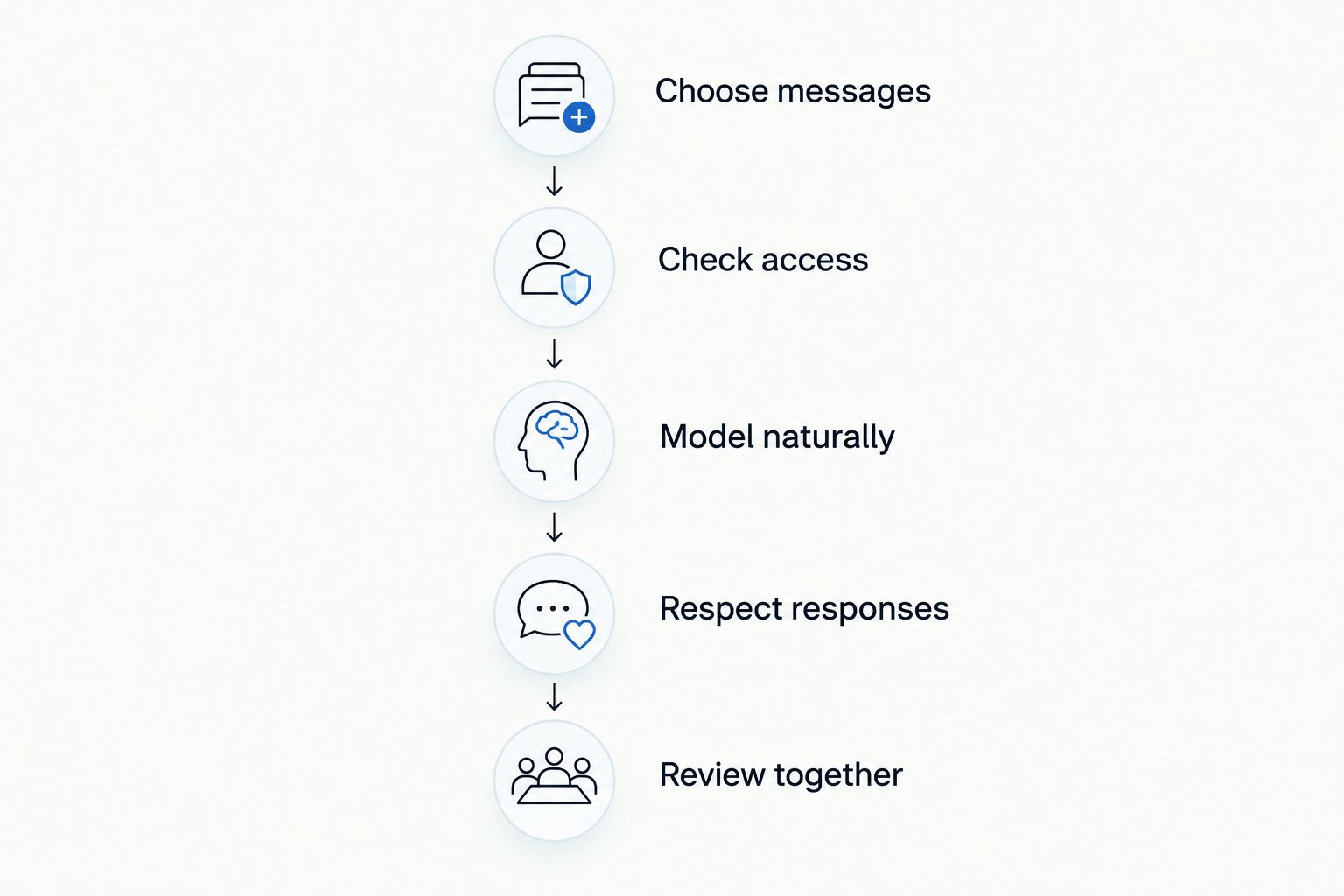
Use this sequence with whichever app you are assessing:
- Choose messages: Find greetings, comments, refusals, help, and break-related vocabulary before leaving.
- Check access: Position the device so your child can reach and see it; check sound and charging.
- Model naturally: Use the app yourself while talking, without requiring your child to copy you.
- Respect responses: Respond to gestures, app messages, speech, and other communication; honor refusals.
- Review together: Notice navigation problems and missing vocabulary without treating the outing as a test.
For communication practice connected to everyday activities, explore these speech therapy activities for nonverbal autism. Keep communication available throughout the activity; never make access to a child's voice a reward.
Which communication app should you choose?
Start with Proloquo2Go as a symbol-based candidate, then compare the alternative that matches your child's clearest need. Choose LAMP Words for Life for motor-pattern consistency, TD Snap for page-set comparison, TouchChat HD – AAC for vocabulary-layout choice, Avaz AAC for pictures alongside typing, or CoughDrop for team sharing.
Do not purchase solely because an app tops a 2026 list. Ask a speech-language professional with AAC experience to assess access and communication needs, and involve your child in the choice. Autism Learn & Play's therapy and community programs are a separate support resource for Brooklyn families, not evidence that any listed app fits your child.
FAQ
What’s the best communication app for nonverbal autism?
Proloquo2Go is the overall symbol-based starting point in this shortlist, not a universal best choice. Compare its layout and access with alternatives during an individualized AAC assessment.
Is LAMP Words for Life better than Proloquo2Go?
LAMP Words for Life is the more specific shortlist choice when consistent motor patterns are the priority. Proloquo2Go is the starting point here for customizable symbol-based communication; your child’s access and vocabulary needs decide the fit.
Does my child need to read before using a communication app?
No, reading is not a prerequisite for considering symbol-based AAC. A professional can help identify suitable symbols, vocabulary, and access methods without requiring typing.
Should a teenager use the same communication setup as a toddler?
No, a teenager’s setup should respect teenage interests, relationships, and privacy. Symbol use does not justify restricting vocabulary to young children’s activities.
Can my child use an AAC app at a community outing?
Yes, AAC can support communication during community outings. Prepare relevant messages, accessible positioning, and a backup communication method before leaving.
What should I check before choosing an AAC app in 2026?
Check your child’s access, vocabulary needs, device compatibility, and communication-partner support. Confirm current technical details with the developer and individual suitability with an AAC professional.
How can Brooklyn families contact Autism Learn & Play?
Brooklyn families can use the website contact form or email info@autismlearnplay.org. Ask about therapy services or community programs relevant to your child’s age and needs.
One last thing
Make sure your child's communication system includes a way to disagree with you. A board filled only with requests leaves out an important part of everyday expression. Before the next outing, find how your child can say no, stop, something else, and I need a break—and be ready to listen.
Related guides
- Social skills games for autistic teens
- Art therapy activities for autistic kids
- Cooking recipes for kids with autism